What is an AI humanizer?
An AI humanizer revises AI-assisted text to make its phrasing, rhythm, and flow more natural. RewriteMax works from a draft you provide, with controls for revision strength, style, purpose, and language. You review and approve the final wording.
How does RewriteMax humanize AI text?
Paste a draft or import a supported document. Choose a mode and writing style, add any preservation preferences, and run Humanize text. The original and editable result appear side by side so you can compare them before copying or downloading.
How is humanizing different from paraphrasing or rewriting?
Paraphrasing expresses an idea in different words. Rewriting is the broader process of changing expression or structure. Humanizing focuses that revision on natural phrasing and a voice that suits the reader. It does not verify facts or establish originality.
Explore the Paraphrasing Tool ↗
Can I humanize text from ChatGPT, Claude, Gemini, or another AI tool?
Yes. Bring the text into the editor by pasting it or uploading a TXT, DOC, or DOCX file. After revising, copy the result back to your document or download it as TXT. This is a web editing workflow; no browser extension is required.
Which kinds of writing can I use it for?
The editor includes purposes for essays, articles, blog posts, emails, reports, and social posts. Choose the closest match, then set an academic, professional, formal, conversational, friendly, or persuasive style.
Will humanizing change my meaning?
The goal is to retain the central meaning while changing expression. Any rewrite can alter nuance, especially at a stronger setting. Compare factual claims, numbers, names, technical terms, and the level of certainty before using the result.
Can I keep specific words, quotes, and formatting?
Yes. Advanced settings include keywords to preserve, a Preserve quotes option, and a Preserve formatting option. These settings guide the request. Check the actual output, including citations and technical details, before accepting it.
What is the difference between Light, Balanced, and Aggressive?
Light makes smaller wording adjustments. Balanced takes a broader pass at phrasing and flow. Aggressive is a more substantial rewrite intended for English text and has a lower input limit. Start with the amount of change your draft actually needs.
Which languages are available?
The Humanizer language selector offers Auto, English, Simplified Chinese, Spanish, French, and German. Light and Balanced are the multilingual options; Aggressive is intended for English. Check the meaning and local usage in the finished text.
Explore AI Translator ↗
Does humanized text always pass an AI detector?
No particular score or bypass outcome is guaranteed. AI detectors use different methods and can make mistakes. Focus on accurate, useful, natural writing and follow any rules for disclosing AI assistance.
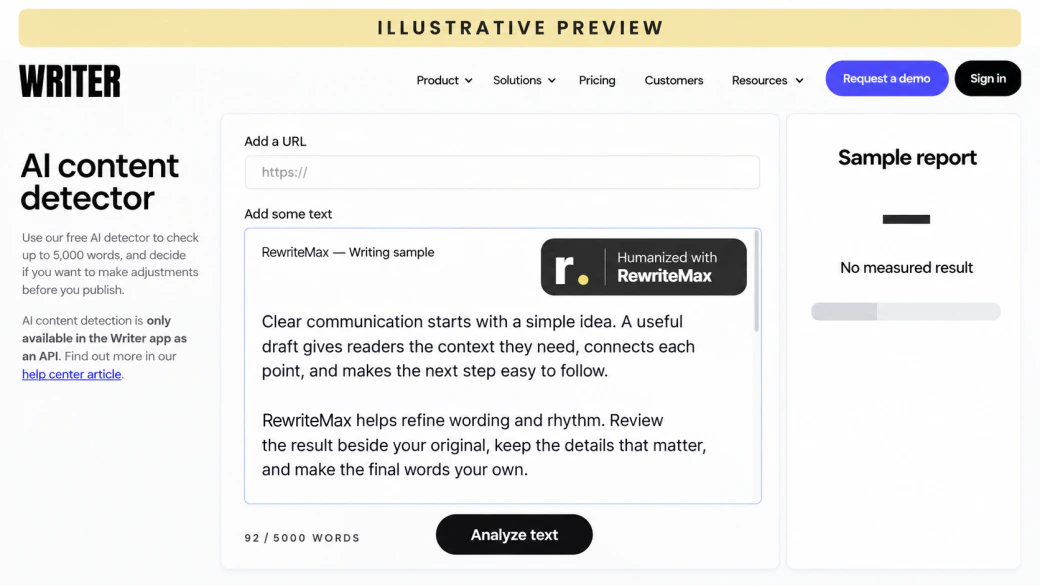
Review your text with the AI Detector ↗
What if my text still has a high AI score?
Read it for repeated phrasing, vague claims, and a voice that feels unlike yours. Add relevant first-hand details and edit for your reader. A score is one signal, not proof of authorship, and a perfect score is not a substitute for good writing.
Does humanizing also check plagiarism?
No. Natural phrasing and source originality are different questions. Use the separate plagiarism checker to look for source matches, review those matches yourself, and cite borrowed language or ideas appropriately.
Open the Plagiarism Checker ↗
Is RewriteMax free to use?
You can prepare text in the editor and use local tools such as the word counter without a paid subscription. AI processing requires sign-in and an available allowance. Your account and the pricing page show current offers and word limits.
See current plans and allowances ↗
How are words counted, and can I try another revision?
Processing passes can use your word allowance. Check the count and usage rules in your account before submitting. If a completed request includes a free resubmission allowance, the editor shows it; changing the source text requires a new paid request.
How do the paid trial, renewal, and cancellation work?
The current paid introductory offer and its renewal terms appear in the pricing section and checkout. To stop future renewal, sign in and use the subscription controls on your account page before the next billing time. Cancellation and refund requests are separate.
Manage your subscription ↗
Can I use the humanizer for school or work?
Use it where AI-assisted editing is permitted. Keep the ideas and sources accurate, follow your institution or employer’s requirements, and disclose assistance when required. Do not use a rewrite to misrepresent authorship or qualifications.
What happens to the text I submit?
Processing sends the relevant text to the configured AI service. Signed-in requests and results can appear in your account history. Review the privacy policy for handling and deletion details, and avoid submitting text you are not authorized to share.
Read the Privacy Policy ↗