Humanize AI Text with RewriteMax

Turn AI drafts into natural writing. Clearer phrasing. Better flow. More you.

0 words
Humanized result

Your humanized text will appear here.

Humanize AI text.Maximize your voice.

Turn your first draft into clear, natural writing
that sounds like you.

Explore the humanizer in action

Humanize AI text.
See the result.

A more natural voice, with the original meaning in focus. Take a closer look at the report views below.

Try It Now
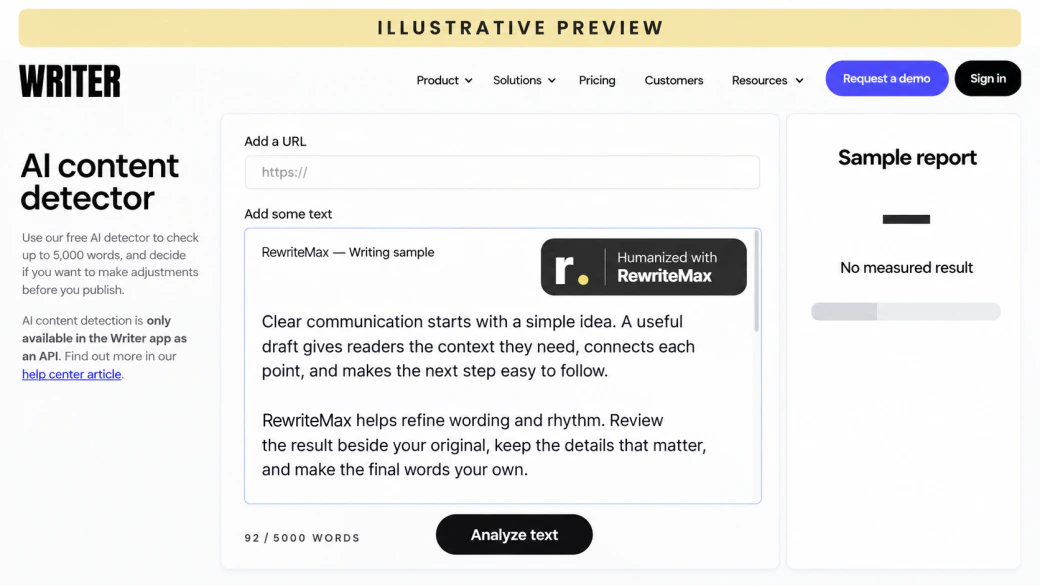
Illustrative Writer report interface with RewriteMax sample text; no measured result.
WriterIllustrative previewFull size

Why humanize
AI text?

A useful first draft can still feel stiff, wordy, or impersonal. Humanizing helps turn that draft into something people want to read.

  1. Make your point easier to follow

    Cut the filler around a good idea so your reader can get straight to it.

  2. Give your writing a natural rhythm

    Move away from repeated openings and sentences that all sound the same.

  3. Sound more like yourself

    Use words and a tone that fit your reader, with room for your own perspective.

How to humanize AI text

Humanize AI text in three simple steps and make every word your own.

  1. Paste your draft

    Paste your text or import a TXT, DOC, or DOCX file. Give the original a quick read.

  2. Choose your direction

    Pick a rewrite mode, writing style, and language. Set any words or quotes to keep.

  3. Humanize, review & export

    Compare both versions, make your final edits, then copy or download your result.

How our AI humanizer works

From an AI-assisted draft to more natural writing, with your meaning and voice guiding the revision.

Start with the idea you want to keep

An AI humanizer works from a draft you already have. Bring text from ChatGPT, Claude, Gemini, or another writing tool, then choose your rewrite strength, tone, and writing type. Add important words or quotes you want to preserve to give the revision a clearer direction.

Humanize the phrasing and rhythm

To humanize AI text, focus on how the idea is expressed: replace formulaic phrasing, reduce unnecessary filler, and vary sentence openings and length. RewriteMax gives you a lighter polish or a broader rewrite, depending on how much change your draft needs.

Review the humanized text in context

Read the original and humanized result side by side. Check that names, numbers, quotations, and the level of certainty still match what you meant. Make your own final edits so the finished text reflects your voice; this review stays in your hands.

A humanizer with you in control

Your words. Your settings.

Everything you need to shape the rewrite, all in one AI humanizer.

Three rewrite strengths

Choose a light polish or a deeper rewrite. Aggressive is intended for English drafts.

LightBalancedAggressive

A tone that fits

Set the voice for your reader, from a careful academic register to a friendly message.

AcademicProfessionalFormalConversationalFriendlyPersuasive

Made for your kind of writing

Choose the purpose of your text to give the revision a clearer direction.

EssayArticleBlog postEmailReportSocial post

Write across languages

Choose your output language. Light and Balanced support multilingual drafts.

AutoEnglish简体中文EspañolFrançaisDeutsch

Keep your important words

Add names, technical terms, or phrases you want the rewrite to preserve.

NamesTerminologyKey phrases

Quotes & formatting controls

Guide how quotes and formatting are handled, then review the finished result.

Preserve quotesPreserve formatting

Bring your own document

Paste a draft or import a supported file. Check the extracted text before you start.

TXTDOCDOCX

Review, edit & export

Keep the source and revision side by side. Make your final edits, then take your text with you.

Side-by-side reviewCopyDownload TXT

Pick up where you left off

Signed-in history keeps requests and results together so you can revisit an earlier draft.

Open your history

What makes RewriteMax different?

A broad prompt is a starting point. A focused humanizer makes the revision choices visible, repeatable, and easier to review.

Revision choices: an open prompt and the RewriteMax workflow
The editing taskA one-line promptWith RewriteMax
Set the amount of changeDescribe the strength you want in a prompt.Choose Light, Balanced, or Aggressive.
Guide tone and purposeExplain the audience and context each time.Choose a writing style and content type.
Protect important detailsList your constraints in the conversation.Set keywords, quote, and formatting preferences.
Review and reuseKeep track of versions in your own workflow.Compare source and result, then revisit saved history.
A closer look before you choose

Compare the workflow.
Find your fit.

Looking at AI humanizers? Explore the editing controls, review steps, and tools around your draft.

Compare AI humanizers
REWRITEMAX / QUILLBOT

Two ways to work
on your next draft.

Read the QuillBot alternative guide.

Explore the comparison

Who is RewriteMax for?

One AI humanizer. Different readers, different reasons to get the wording right.

01 / Students

Essays that express your thinking.

Untangle long sentences, make transitions clearer, and check that the finished work follows your course’s AI rules.

02 / Researchers

Precision without the heavy phrasing.

Revise summaries and discussions while keeping terminology, evidence, and appropriate uncertainty intact.

03 / Marketers

A message people can connect with.

Move from a generic first draft to focused landing-page copy, product descriptions, and campaigns with a distinct voice.

04 / Professionals

Less friction in the everyday email.

Make reports, updates, proposals, and client messages easier to read. Lead with the point and make the next step clear.

05 / Job seekers

Your experience, in your words.

Polish a cover letter or professional summary. Keep every qualification truthful and add the specifics that make it yours.

06 / Writers & creators

More character in every paragraph.

Vary the rhythm of articles and posts, remove generic filler, and leave room for your own examples and perspective.

More words. More possibilities.

Auto-renews monthly until canceled. Words reset monthly. Tax at checkout.

Basic

5,000 humanizer words/month

$9.90
USD / monthBilled monthly
Sign in to subscribe
  • All three rewrite modes
  • Six writing styles
  • Keyword & quote controls
  • Saved revision history
  • Edit, copy & download results

Unlimited

100,000 humanizer words/month

$49.90
USD / monthBilled monthly
Sign in to subscribe
  • All three rewrite modes
  • Six writing styles
  • Keyword & quote controls
  • Saved revision history
  • Edit, copy & download results

100,000-word monthly cap.

Free toolsWord counts, text analysis & draft preparation.

Try free tools
Billing & usage details

Each processing pass may use words. Humanizing and source matching use the ordinary word allowance; AI detection uses half the input count rounded up. Other workflows have their own usage rules in your account. AI processing requires sign-in and an available allowance; free tools do not include a paid humanizer plan.

Annual plans are charged in one yearly payment; the monthly equivalent is for comparison. Included words reset monthly and do not roll over. “Unlimited” is a plan name with a 100,000-word monthly allowance. Buying an allowance does not guarantee a detector score.

Cancel in your account before the next billing time to stop renewal. Cancellation does not refund an earlier charge; refund requests follow the refund policy. Checkout shows your final total, applicable tax and renewal date.

A few things worth knowing

AI Humanizer FAQ

How it works, what to expect, and how to make the most of your next draft.

What is an AI humanizer?

An AI humanizer revises AI-assisted text to make its phrasing, rhythm, and flow more natural. RewriteMax works from a draft you provide, with controls for revision strength, style, purpose, and language. You review and approve the final wording.

How does RewriteMax humanize AI text?

Paste a draft or import a supported document. Choose a mode and writing style, add any preservation preferences, and run Humanize text. The original and editable result appear side by side so you can compare them before copying or downloading.

How is humanizing different from paraphrasing or rewriting?

Paraphrasing expresses an idea in different words. Rewriting is the broader process of changing expression or structure. Humanizing focuses that revision on natural phrasing and a voice that suits the reader. It does not verify facts or establish originality.
Explore the Paraphrasing Tool

Can I humanize text from ChatGPT, Claude, Gemini, or another AI tool?

Yes. Bring the text into the editor by pasting it or uploading a TXT, DOC, or DOCX file. After revising, copy the result back to your document or download it as TXT. This is a web editing workflow; no browser extension is required.

Which kinds of writing can I use it for?

The editor includes purposes for essays, articles, blog posts, emails, reports, and social posts. Choose the closest match, then set an academic, professional, formal, conversational, friendly, or persuasive style.

Will humanizing change my meaning?

The goal is to retain the central meaning while changing expression. Any rewrite can alter nuance, especially at a stronger setting. Compare factual claims, numbers, names, technical terms, and the level of certainty before using the result.

Can I keep specific words, quotes, and formatting?

Yes. Advanced settings include keywords to preserve, a Preserve quotes option, and a Preserve formatting option. These settings guide the request. Check the actual output, including citations and technical details, before accepting it.

What is the difference between Light, Balanced, and Aggressive?

Light makes smaller wording adjustments. Balanced takes a broader pass at phrasing and flow. Aggressive is a more substantial rewrite intended for English text and has a lower input limit. Start with the amount of change your draft actually needs.

Which languages are available?

The Humanizer language selector offers Auto, English, Simplified Chinese, Spanish, French, and German. Light and Balanced are the multilingual options; Aggressive is intended for English. Check the meaning and local usage in the finished text.
Explore AI Translator

Does humanized text always pass an AI detector?

No particular score or bypass outcome is guaranteed. AI detectors use different methods and can make mistakes. Focus on accurate, useful, natural writing and follow any rules for disclosing AI assistance.
Review your text with the AI Detector

What if my text still has a high AI score?

Read it for repeated phrasing, vague claims, and a voice that feels unlike yours. Add relevant first-hand details and edit for your reader. A score is one signal, not proof of authorship, and a perfect score is not a substitute for good writing.

Does humanizing also check plagiarism?

No. Natural phrasing and source originality are different questions. Use the separate plagiarism checker to look for source matches, review those matches yourself, and cite borrowed language or ideas appropriately.
Open the Plagiarism Checker

Is RewriteMax free to use?

You can prepare text in the editor and use local tools such as the word counter without a paid subscription. AI processing requires sign-in and an available allowance. Your account and the pricing page show current offers and word limits.
See current plans and allowances

How are words counted, and can I try another revision?

Processing passes can use your word allowance. Check the count and usage rules in your account before submitting. If a completed request includes a free resubmission allowance, the editor shows it; changing the source text requires a new paid request.

How do the paid trial, renewal, and cancellation work?

The current paid introductory offer and its renewal terms appear in the pricing section and checkout. To stop future renewal, sign in and use the subscription controls on your account page before the next billing time. Cancellation and refund requests are separate.
Manage your subscription

Can I use the humanizer for school or work?

Use it where AI-assisted editing is permitted. Keep the ideas and sources accurate, follow your institution or employer’s requirements, and disclose assistance when required. Do not use a rewrite to misrepresent authorship or qualifications.

What happens to the text I submit?

Processing sends the relevant text to the configured AI service. Signed-in requests and results can appear in your account history. Review the privacy policy for handling and deletion details, and avoid submitting text you are not authorized to share.
Read the Privacy Policy

Less friction between the idea and the words

Maximize your next draft.

Bring the words you have.
Find the way you want to say them.

Humanize your text RewriteMax / More room for your voice.