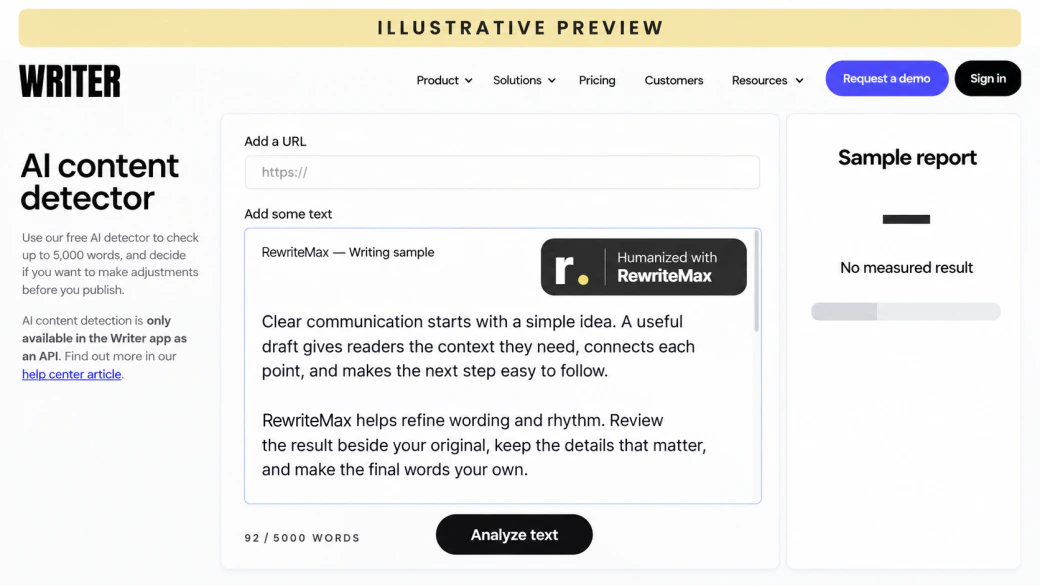
Revise the wording, then read your essay the way a marker or a detector report might. The views below are illustrations of report layouts, not measured results.
Essays are marked on reasoning and clarity. AI drafts often hide a good argument behind generic phrasing, padded transitions and paragraphs that summarize instead of argue.
01
Make the argument visible
Lead each paragraph with its claim so a reader can follow your reasoning from thesis to conclusion.
02
Sound academic, not templated
Replace stock phrases such as “it is important to note” with precise wording that suits your subject.
03
Keep the essay yours
Bring your own examples, sources and voice back into the draft before you submit it.
How to humanize an AI essay
Three steps from an AI-assisted draft to an essay you can stand behind.
STEP 01
Paste your essay
Paste the essay or import a TXT, DOC, or DOCX file. Check the extracted text and citations first.
STEP 02
Set it up for academic writing
Choose Essay and Academic. Add course terms, names and key phrases as keywords to keep.
STEP 03
Humanize, check & submit
Compare both versions paragraph by paragraph, fix anything that changed your meaning, then copy or download.
How the AI essay humanizer works
The rewrite changes how your ideas are expressed. Your thesis, evidence and citations should come through unchanged.
01
Start from your thesis and sources
Bring the essay draft you already have, whether it started in ChatGPT, Claude, Gemini or your own notes. Add the terms, names and phrases that must stay exactly as written, and keep Preserve quotes switched on so quoted evidence is left alone.
02
Humanize the academic phrasing
The humanizer replaces formulaic academic filler, varies sentence length and smooths the transitions between paragraphs. Use Light for a near-final essay, Balanced for most drafts, and Aggressive only when the structure itself reads like a template.
03
Check the essay like a marker would
Read the original and the rewrite side by side. Confirm that each paragraph still supports the same point, that in-text citations and page numbers are untouched, and that no claim is stronger than your sources allow.
InputYour AI-assisted draft
Writing patternsRepetition & rigid phrasing
HumanizeNatural wording & rhythm
Your reviewMeaning, facts & voice
✓
OutputYour humanized text
Set up for academic drafts
Your essay. Your settings.
The controls of our AI humanizer, ready for essays, reports and coursework.
Three rewrite strengths
Choose a light polish or a deeper rewrite. Aggressive is intended for English drafts.
LightBalancedAggressive
A tone that fits
Set the voice for your reader, from a careful academic register to a friendly message.
A chatbot can rewrite an essay, but citations, quotes and the thread of the argument are easy to lose. An essay humanizer keeps those choices explicit.
Rewriting an essay: a chatbot prompt and the AI Essay Humanizer
The essay task
Asking a chatbot
With the AI Essay Humanizer
Keep quotes and key terms
Remind the chatbot not to touch them in every prompt.
Preserve quotes and add terms as keywords to keep.
Match academic tone
Describe the register again for each request.
Choose Essay and Academic; the settings stay visible.
Control how much changes
Ask for “a bit more natural” and see what you get.
Choose Light, Balanced, or Aggressive.
Check the result
Scroll between chat messages to compare versions.
Compare the essay side by side, then review it with the AI Detector.
Choosing an essay tool?
Compare essay tools. Find your fit.
Paraphrasers, detectors and humanizers solve different essay problems. See how the editing workflows compare.
20,000 trial words. Renews automatically as Pro monthly unless you cancel before the trial ends. Tax at checkout.
Trial details
20,000 words during the three-day trial. It renews as Pro with a fresh 20,000-word monthly allowance after the first monthly charge; unused trial words expire. This paid trial converts to monthly billing even when yearly plans are selected. Cancel before the next billing time shown in checkout and your receipt to prevent renewal.
Each processing pass may use words. Humanizing and source matching use the ordinary word allowance; AI detection uses half the input count rounded up. Other workflows have their own usage rules in your account. AI processing requires sign-in and an available allowance; free tools do not include a paid humanizer plan.
Annual plans are charged in one yearly payment; the monthly equivalent is for comparison. Included words reset monthly and do not roll over. “Unlimited” is a plan name with a 100,000-word monthly allowance. Buying an allowance does not guarantee a detector score.
Cancel in your account before the next billing time to stop renewal. Cancellation does not refund an earlier charge; refund requests follow the refund policy. Checkout shows your final total, applicable tax and renewal date.
A few things worth knowing
AI Essay Humanizer FAQ
Using a humanizer for academic work: what it does, what it does not do, and how to stay within the rules.
What is an AI essay humanizer?
An AI essay humanizer revises an AI-assisted essay so it reads more naturally: clearer topic sentences, varied sentence length, fewer stock phrases and smoother transitions. It works from your draft and keeps your argument; it does not research, cite or write the essay for you.
How do I humanize an AI-generated essay?
Paste the essay or upload a TXT, DOC or DOCX file. Choose Essay as the purpose and Academic as the style, pick a rewrite mode, and add any terms you want kept. Run the humanizer, then compare the result with your original before copying or downloading it.
Which settings work best for essays?
Start with Balanced, Essay and Academic. Use Light when the essay is nearly final and only needs smoother wording. Use Aggressive only for English drafts whose structure reads like a template, and review those results more closely.
Will it change my citations, quotes or references?
Keep Preserve quotes and Preserve formatting on, and add author names or key terms as keywords. These settings guide the rewrite but cannot guarantee it, so check every in-text citation, page number and quotation afterwards.
Will my thesis or argument change?
The aim is to change expression, not claims. Any rewrite can shift nuance, especially at stronger settings. Read your thesis, topic sentences and conclusion against the original and restore anything that now says something different.
Will a humanized essay pass Turnitin, GPTZero or other detectors?
No tool can guarantee a detector result. Detectors use different methods, change over time and make mistakes in both directions. Use the AI Detector as one review signal and focus on an essay that is clear, accurate and genuinely yours. Review your essay with the AI Detector ↗
Is it allowed to use an essay humanizer for school?
That depends on your course and institution. Some allow AI-assisted editing with disclosure; others do not allow it at all. Check the policy, disclose AI use where required, and never submit work that misrepresents who did the thinking. How to write an AI disclosure ↗
How long can my essay be?
You can paste text or import a TXT, DOC or DOCX file up to 10 MiB. Aggressive mode has a lower input limit. Long essays are easier to review when you humanize them a section at a time.
Can I humanize essays in other languages?
Output can be set to Auto, English, Simplified Chinese, Spanish, French or German. Light and Balanced support these languages; Aggressive is intended for English. Check terminology and academic conventions in the result.
Does it check my essay for plagiarism?
No. Natural phrasing and originality are separate questions. Use the Plagiarism Checker to look for passages that match online sources, and cite borrowed ideas and language properly. Open the Plagiarism Checker ↗
Can it make my essay longer or shorter?
The humanizer keeps roughly the same length. To reach a word count, use the Essay Length Booster; to cut an essay down, use the Essay Shortener. Open the Essay Length Booster ↗
Do I need an account, and how are words counted?
You can prepare text without an account. Humanizing requires sign-in and an available word allowance, and each pass uses words from it. The pricing page shows current plans. See current plans and allowances ↗