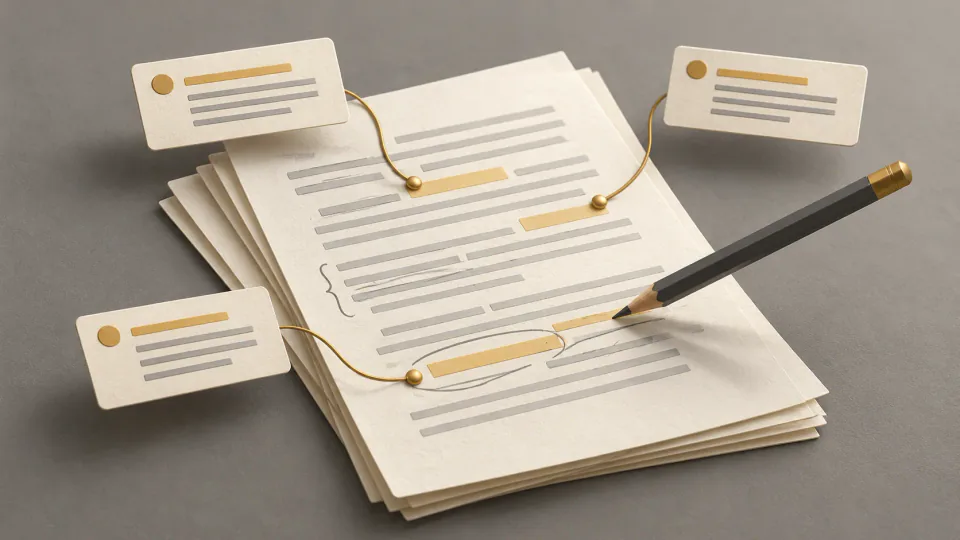
How to Humanize AI Text: Ten Edits That Help Real Readers
Make AI-assisted writing natural and useful with ten practical edits for meaning, rhythm, detail, tone, and voice, followed by a careful human review.

To humanize AI text, edit it so a real reader can follow the message, recognize the context, and hear an appropriate voice. Preserve the meaning while improving specificity, sentence rhythm, tone, and flow. Swapping words for synonyms rarely accomplishes that on its own.
Work from the paragraph's purpose toward individual sentences. Check factual support, replace vague language, and use writing tools for alternatives you can review. The goal is useful, accurate writing rather than a promised detector result.
Ten practical editing moves
1. Identify the message before changing wording
Read the draft without editing. Write down what each paragraph contributes and which facts or qualifications must remain. This gives you a baseline for deciding whether a rewrite is clearer or merely different.
A synonym substitution can preserve an awkward structure while changing a technical term. A useful edit starts with the point you need to communicate. The meaning-preservation guide provides a more detailed check.
2. Vary structure according to the idea
Several sentences beginning the same way can flatten a paragraph:
AI tools can improve writing. AI tools can save time. AI tools can help users create content. AI tools can support many professional tasks.
Rather than mechanically alternate sentence lengths, combine related ideas and give the main point room. An illustrative alternative might be:
AI tools can help with routine writing, but their drafts still need review. Read for accuracy first. Then decide which wording helps your reader.
These are teaching examples, not measured claims about a particular product. In an actual rewrite, retain any substantive point the original needs.
3. Replace generalities with supported detail
“This strategy helps businesses improve efficiency” gives little sense of the task. A more concrete version could describe small teams turning meeting notes into follow-up emails in less time, if that task and benefit are supported by the source.
Ask who acts, what they do, and which outcome matters. Specificity should come from real context; an invented number or example presented as fact creates a new accuracy problem.
4. Match tone to the audience
A blog can use conversational explanations. An academic paper usually needs a more formal register and carefully qualified claims. A landing page may foreground a benefit. Name the audience before editing so a generic friendly voice does not replace the document's purpose.
Use a few consistent tone choices, rather than forcing every sentence into one pattern. An editorial style sheet helps record those decisions.
5. Make subjects and verbs visible
Active voice often makes an action easier to follow. Compare:
The report was generated by the system to provide insights.
with:
The system generated the report to show key insights.
The second places the actor near the action. Keep passive voice where it serves a real purpose; the editing question is whether readers can understand who does what.
6. Add honest perspective
A scenario, observation, or useful action can give abstract advice a human context. “Writers may benefit from reviewing their drafts carefully” becomes more useful as an instruction:
After drafting, read the paragraph from the customer's perspective. Notice where the wording leaves the next step unclear.
When responding to another writer, use the peer-feedback workflow to describe your reading experience while preserving their choices. Do not invent a personal story or imply experience you do not have. Label hypothetical examples and use your own observations only when they are true and relevant.
7. Cut transitions that do no work
“Furthermore” and “it is important to note” are not automatically wrong. Remove them when they merely announce another sentence. Let the actual relationship between ideas provide the connection.
An illustrative “Furthermore, businesses can use this tool to improve productivity” could become a direct description of teams completing routine writing faster, provided that benefit is verified. Also remove ideas repeated under different wording. The repetition-editing guide offers a focused pass.
8. Use natural language where the setting allows it
“You don't need to rewrite every sentence” feels more relaxed than “You do not need to rewrite every sentence.” Either can be appropriate. Contractions often suit blogs and emails; formal academic or legal contexts may call for different conventions.
Avoid adding slang or deliberate errors to simulate a voice. Choose language that fits the writer and reader.
9. Bound the prompt before requesting a rewrite
Specify audience, tone, the editing problem, and protected content. For example:
Edit this passage for [audience] in a [tone] voice. Keep its meaning, facts, and qualifications. Vary sentence structure where useful, remove empty transitions, and make actions clear. Do not add unsupported details. Suggest examples only when grounded in the supplied material; flag anything uncertain.
A clear request can make review easier. It does not guarantee that the output follows every instruction.
10. Use a tool as one editing layer
Try RewriteMax on a manageable passage, then compare the proposal with the baseline. Evaluate meaning preservation, privacy, tone options, rewrite quality, and editing flexibility when choosing a workflow.
Tools can suggest sentence polish while also dropping context or shifting a claim. Keep human judgment responsible for what survives.
Check the paragraph after the rewrite
Ask whether each sentence adds information, transitions express real relationships, and paragraphs could be shorter without losing substance. Look for repeated ideas and confirm that a reader would reach the point sooner. Then check meaning, facts, originality, and tone separately.
| Method | Useful role | Limitation to review |
|---|---|---|
| Manual editing | Facts, examples, originality, voice, and judgment | Longer drafts take time |
| Better prompts | More focused drafting or revision requests | Output still needs factual and tone review |
| Humanizer tools | Alternative tone, flow, and wording | Context and meaning can drift |
Combine these approaches according to the document, rather than assuming one replaces the others.
Detector results do not certify the edit
Humanized writing can still receive an AI flag. Detectors make classifications or estimates; they cannot establish authorship with certainty. They can flag human prose and miss generated or edited text. Avoid treating any displayed number as a verdict.
If you use the AI detector, read its result as one limited signal. Improve the draft for readers, check sources, contribute your own analysis, and follow relevant school or workplace rules. Students should use the responsible editing workflow and disclose assistance when required.
Common questions
How do I make an AI draft sound more human?
Clarify its message, vary structure, add supported examples, choose an appropriate tone, remove empty transitions, and review the final copy yourself.
What should a humanizing prompt include?
Audience, tone, a specific editing goal, and explicit instructions to preserve facts, meaning, and qualifications. Inspect the resulting changes.
Can ChatGPT do this editing?
It can propose more natural wording. A person still needs to check accuracy, originality, voice, and context.
Why might a humanizer produce a weak result?
It may substitute words without fixing structure, over-edit, remove context, repeat generic patterns, or change the intended meaning. Return to the baseline and accept only improvements you can justify.