Remove Sensitive Details Before You Use an AI Writing Tool
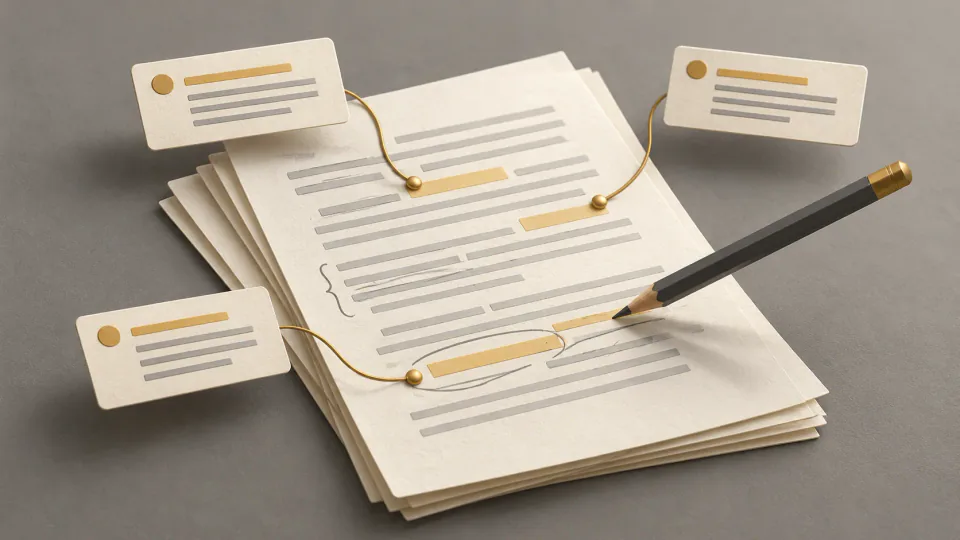
Decide what an AI editor may receive, minimize the passage, replace useful details with consistent placeholders, and recognize when a document should stay offline.

The text that needs a calmer tone may contain information an AI editor never needs to see. A service email can include an account number; a report can reveal an unpublished result; a few meeting notes can expose a private business decision. Start by deciding what may leave your environment, before composing the prompt.
A workable sequence is to confirm approval, select the smallest useful passage, and remove or replace unnecessary details. Sometimes the correct decision is to keep the material out of the tool altogether. This is an editing workflow, not a legal assessment. Your organization, client, school or applicable law may set stricter requirements.
Check approval before changing names
Deleting a person's name does not automatically make a document shareable. Other facts may identify them, and confidential material can remain confidential without naming anyone. Establish three things first:
- Is the specific tool and account approved for this information? Review applicable policy, terms, retention controls and contracts.
- Is AI assistance permitted for this purpose? Approval for public marketing copy does not extend automatically to client records, student files, patient information or unpublished research.
- Can you solve the writing problem without providing the sensitive content? If so, leave it out.
UAB's practical AI guidance starts with understanding the data and selecting an appropriate tool. Our tool-comparison guide likewise treats privacy terms as part of the decision. If approval is uncertain, pause. Replacing names cannot grant permission that the user does not have.
Classify the information you are about to send
Read for disclosure risk before reading for style. Use your organization's classification system if it has one; the following is a starting point.
| Information | Typical examples | Initial decision |
|---|---|---|
| Public | Released product facts, published reports, public web copy | Supply only what the edit needs. |
| Internal | Draft plans, meeting notes, internal procedures, unpublished work | Use an approved environment. |
| Personal | Names, IDs, contact details, precise locations, individual records | Omit or replace unless necessary and expressly approved. |
| Confidential | Contracts, client strategy, source code, research results, health or financial details | Stop without approval for this exact tool and use. |
| Secrets | API keys, passwords, recovery codes, private tokens | Do not paste; revoke exposed credentials promptly. |
OWASP's guidance on sensitive information disclosure includes personal, business, financial, health, legal and credential information. Classification labels vary, so a general table cannot override local definitions.
Choose send, replace, omit or stop
For every marked detail, make an explicit decision. Send it only if the tool is approved and the edit needs it. A public product name may matter to its description; the customer file behind the description usually does not.
Replace details when their relationships matter more than their identities. Use [CLIENT], [ROLE], [PRODUCT_CATEGORY], [AMOUNT_RANGE] or a pair such as [DATE_A] and [DATE_B]. Keep the tokens consistent: the same contact should not acquire two labels halfway through the passage.
Omit details with no editing purpose. A request for clearer tone rarely needs an address, signature, account number, entire email chain or document metadata.
Stop if the upload is prohibited, approval is missing, or the remaining context still creates unacceptable exposure. An approved secure system, local editor or human reviewer may be the appropriate alternative.
1. Select only the passage that needs work
Define the job in a sentence: ‘Make this three-sentence update easier to scan,’ or ‘Remove repetition from this public introduction.’ That scope helps identify necessary context. A paragraph may need its neighboring sentences for flow; it usually does not need the cover sheet, appendices, comments, tracked changes or previous correspondence.
File-upload capacity is not a reason to supply a complete document. Minimization means reducing the amount shared as well as masking particular fields. If the task can be explained with a synthetic passage, consider whether any real record needs to be included.
2. Remove direct identifiers and secrets
Inspect the selection for full names and initials, email addresses, telephone numbers, usernames, employee or student IDs, account numbers, postal addresses and coordinates. Also check signatures, headers, file paths and links containing a private token or record reference.
Remove passwords, API keys and authentication codes entirely. Do not turn a real credential into a similar-looking example. For other fields, retain a placeholder only where the tool needs to distinguish a role or relationship. Delete the rest.
3. Review combinations of indirect clues
A rare position, small department, precise date, unusual event, age and city may reveal a person together even after obvious identifiers disappear. Read as someone who knows the setting. Could a classmate or colleague recognize the combination? Could a distinctive quotation lead back to its source? Could public information connect the placeholders?
Ask whether a month would serve instead of an exact date and whether the particular location, diagnosis, dispute or transaction affects the writing task. Generalize only where the task and policy permit it. ‘The only pediatric surgeon at North Clinic’ could become [SPECIALIST] when the role is incidental. If that rare role is central, removing it may make the task impossible; stopping may be the appropriate choice.
4. Keep useful structure without identity
Excessive removal can leave a passage too vague to edit. Preserve functional distinctions through [MANAGER] and [CUSTOMER], sequence through [EARLIER DATE] and [LATER DATE], and purpose through a description such as ‘a service-delay notice.’ If scale affects the wording and policy permits it, a broad amount range may preserve useful context.
Store the mapping from placeholders to actual details locally in an approved location. Do not include that mapping in the next AI prompt. The purpose of the tokens is lost if the conversation also contains their real values.
5. Ask for one bounded transformation
A narrow instruction reduces the context the tool needs and makes its changes easier to inspect. For example:
Improve the clarity and tone of this passage. Leave every placeholder unchanged. Add no names, dates, facts or explanations.
That instruction guides editing; it does not create a privacy control. OWASP notes limitations in relying on prompt restrictions. Approval, minimization and removing unnecessary information must happen before submission. If you use a grammar and style tool, apply the same input review as you would for any other external editor.
6. Compare the output before restoring details
Review the generated text against the sanitized input. Check each placeholder, role and date relationship. A tool may merge contacts, infer an organization, supply a diagnosis or invent a missing explanation. It may also turn a tentative statement into a promise. Keep only changes you can verify.
After this comparison, restore approved details locally. Avoid asking the tool to reinsert them. Use the meaning-preservation checklist to check facts, uncertainty, audience and tone alongside the placeholders.
A fictional service-update example
Imagine this invented original, containing no real case:
On September 18, Maya Chen at Brightwell Pediatrics reported that patient account 88419 was charged $2,740 twice after the Denver migration. Please email [email protected] before Friday and confirm that engineering removed the duplicate.
The task is to create a concise, calm internal update. The editor does not need the name, organization, account number, precise amount, city, address or date. A minimized version is:
On [DATE], [CONTACT] reported that a customer account was charged twice after a system migration. Please confirm with the contact before [DEADLINE] that the duplicate charge was removed.
A suitable instruction is: ‘Rewrite this as a concise, calm internal status update. Keep the placeholders unchanged and add no facts.’ This demonstrates omission and replacement. It does not prove that a real version would be legally anonymized or authorized for upload. The source and remaining context can still restrict its use. For outgoing messages, also review the support reply against the actual case.
Recognize when placeholders cannot solve the problem
Use an approved alternative if a rule requires a particular secure environment, if a rare event still identifies someone, or if a contract, research protocol, court order or regulated-data requirement has not been checked. The same applies when code, credentials, security details or unreleased strategy remain.
Stop when accurate editing requires the sensitive details themselves, when provider storage or sharing practices are unclear, or when you cannot identify who is authorized to approve the use. Consult the privacy, security, legal, records, research or IT owner named in the relevant policy. A general internet checklist cannot supersede that policy.
Before you upload
Confirm the information category, permitted purpose, approved tool and account. Recheck that you selected the smallest passage, removed private links and credentials, and considered combinations of indirect identifiers. Keep only useful, consistent placeholders and store their mapping separately.
Then give the narrow instruction, inspect the output and restore approved information locally. If any of those steps cannot be completed adequately, upload nothing. The useful outcome is a better piece of writing with no unnecessary disclosure.