

Light
Smooths wording and keeps structure close to the original. Best for a near-final draft.
Rewrite whole paragraphs and documents with the strength, style and purpose you choose. Keep up to 20 keywords, compare every change, and download the result.
Free trial: 500 words. No sign-up needed.
Choose how much changes and how it should sound,
then compare every line.
Check the rewrite with the AI Detector when it matters. The views below illustrate report layouts.
Try It Now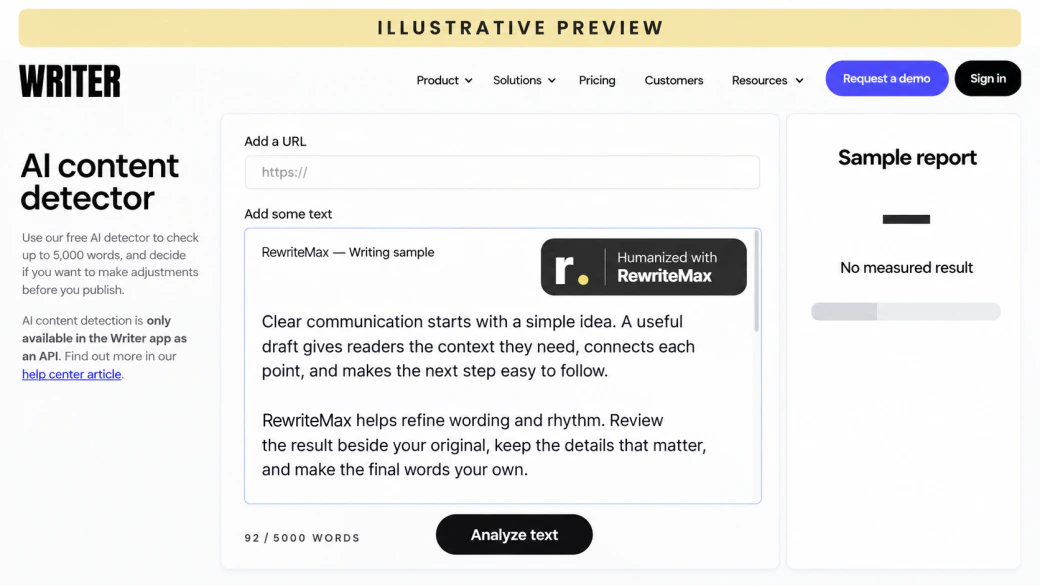
Rewording a sentence by hand is easy. Rewriting a whole document consistently, in one voice and for one purpose, is where an AI rewriter earns its place.
One style setting applies across the whole document, not sentence by sentence.
Light, Balanced or Aggressive: decide how far the rewrite goes.
Keep up to 20 names, terms or phrases, and preserve quotes.
Three steps from draft to rewrite.
Paste text or upload a TXT, DOC, or DOCX file up to 10 MiB.
Light for polish, Balanced for most rewrites, Aggressive for a deep English rewrite.
Compare both versions side by side, then copy or download the rewrite.
Pick the mode that matches how much the text needs to change.
Smooths wording and keeps structure close to the original. Best for a near-final draft.
Reworks phrasing and rhythm across the whole text. The default, and the mode we measured.
A deeper rewrite of sentence and paragraph structure, for English text only.
Strength, style, purpose, language and keywords to keep, plus Writing DNA for your own voice.
Choose a light polish or a deeper rewrite. Aggressive is intended for English drafts.
Set the voice for your reader, from a careful academic register to a friendly message.
Choose the purpose of your text to give the revision a clearer direction.
Choose your output language. Light and Balanced support multilingual drafts.
Add names, technical terms, or phrases you want the rewrite to preserve.
Guide how quotes and formatting are handled, then review the finished result.
Paste a draft or import a supported file. Check the extracted text before you start.
Keep the source and revision side by side. Make your final edits, then take your text with you.
Signed-in history keeps requests and results together so you can revisit an earlier draft.
Open your historyThree tools for three jobs.
| Tool | Best for | Scope |
|---|---|---|
| AI Rewriter | Making a whole AI-assisted draft natural and consistent | Paragraphs and documents |
| Paraphraser | Restating a passage in different words, in a chosen mode | Passages |
| Sentence Rewriter | Fixing one awkward sentence | Single sentences |
| AI Refine | Improving clarity, grammar and tone toward a goal | Drafts you wrote |
In our October 2026 test, ZeroGPT labeled every Balanced rewrite of 60 AI-written texts human-written.
Compare AI humanizersMethod and results.
Explore the comparisonAnyone with a draft that needs to sound different without saying something different.
Rewrite dated articles in a consistent, current voice.
Rewrite copy for different channels in different styles.
Rewrite AI-assisted drafts where allowed, then add your own analysis.
Rewrite documents into a professional or formal style.
Rewrite drafts into each client’s tone with Writing DNA.
Rewrite English that feels awkward into natural phrasing.
Auto-renews monthly until canceled. Words reset monthly. Tax at checkout.
5,000 humanizer words/month
20,000 humanizer words/month
100,000 humanizer words/month
100,000-word monthly cap.
20,000 trial words. Renews automatically as Pro monthly unless you cancel before the trial ends. Tax at checkout.
20,000 words during the three-day trial. It renews as Pro with a fresh 20,000-word monthly allowance after the first monthly charge; unused trial words expire. This paid trial converts to monthly billing even when yearly plans are selected. Cancel before the next billing time shown in checkout and your receipt to prevent renewal.
Free toolsWord counts, text analysis & draft preparation.
Try free toolsEach processing pass may use words. Humanizing and source matching use the ordinary word allowance; AI detection uses half the input count rounded up. Other workflows have their own usage rules in your account. Beyond the 500-word free trial of the humanizer and AI detector, AI processing requires sign-in and an available allowance; free tools do not include a paid humanizer plan.
Annual plans are charged in one yearly payment; the monthly equivalent is for comparison. Included words reset monthly and do not roll over. “Unlimited” is a plan name with a 100,000-word monthly allowance. Buying an allowance does not guarantee a detector score.
Cancel in your account before the next billing time to stop renewal. Cancellation does not refund an earlier charge; refund requests follow the refund policy. Checkout shows your final total, applicable tax and renewal date.
Rewrite strengths, limits and how it differs from our other tools.
A tool that rewrites whole paragraphs or documents in a chosen style and strength while keeping the meaning. RewriteMax shows both versions so you can review every change.
The Paraphraser restates passages in a selected mode. The AI Rewriter is built to make whole AI-assisted drafts read naturally and consistently, with style, purpose and keyword controls.
Open the Paraphraser
Light for small changes, Balanced for most texts, and Aggressive for a deep English rewrite. Balanced is the default and the mode we tested.
Yes. Add up to 20 keywords or phrases to keep, and Preserve quotes keeps quoted text as it is. Check the result to confirm.
Yes. Writing DNA learns from samples of your writing and guides rewrites toward your voice.
Set up Writing DNA
Yes, for the first 500 words with no account.
See what is free
Use it where AI-assisted writing is allowed, follow your institution’s or employer’s rules, and disclose AI help when required.
Need help with your account? Get in touch ↗ Already subscribed? Manage your subscription ↗
Choose the strength and style.
Review every change.